


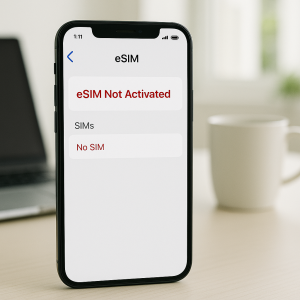
eSIM technology has transformed the way we connect our mobile devices, making it easier than ever to activate a phone without needing a physical SIM card. But when an eSIM not working prevents use, it can be frustrating and confusing. Whether it’s a connectivity glitch, activation failure, or carrier issue, understanding what’s wrong is the first step to fixing it.
At IDR Tech, we specialize in all types of mobile phone repair services, including advanced eSIM diagnostics. In this blog, we’ll explore the top reasons your eSIM may not be working and offer expert-backed solutions. If you’re searching for mobile phone repair near me or need tablet repair and location support, this guide is a must-read.
Key Takeaways:
- What is an eSIM?
- Common eSIM issues
- Troubleshooting eSIM issues
- Recommendations for fixing an eSIM not working
What Is an eSIM and Why It Matters
An eSIM (Embedded SIM) is a digital SIM embedded into your smartphone, tablet, or smartwatch. It allows you to activate a cellular plan without inserting a physical SIM card.
Apple, Google, and Samsung have all integrated eSIMs into their newer models, offering flexibility for dual-SIM use, travel, and carrier switching.
But despite its convenience, eSIMs come with their own set of technical issues, especially during setup, porting, or network transitions.
5 Common eSIM Issues and How to Troubleshoot Them
Let’s review some common eSIM issues and how you can fix them at home.
1. eSIM Activation Fails
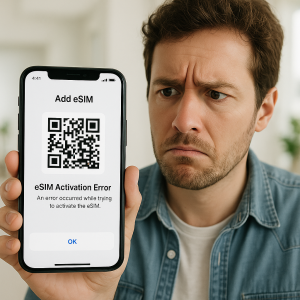
One of the most common problems is failure during the activation process. Activation can fail if the QR code or activation code isn’t entered correctly, the carrier’s server is down, or the device isn’t compatible with the eSIM. Sometimes, network congestion or software glitches can also prevent successful activation.
This may be due to:
- Incorrect QR code scan
- Outdated firmware
- Carrier compatibility issues
Solution:
- Ensure your device supports eSIM (check manufacturer sites like Apple Support).
- Update your OS to the latest version.
- Reboot your phone and re-scan the QR code provided by your carrier.
2. eSIM Not Detected on the Device
Sometimes, even after successful activation, the eSIM may not be recognized. If the device doesn’t recognize the eSIM, it could be due to a hardware limitation, outdated software, or a corrupted eSIM profile.
Solution:
- Reset network settings.
- Go to settings and remove the eSIM profile, then re-add it.
- Ensure your phone is not carrier-locked.
3. No Cellular Service or Signal Drops
Even after activation, the device may show no service or experience frequent signal drops. This usually happens due to poor network coverage, incorrect carrier settings, or conflicts with other network profiles on the device. This issue is commonly seen in areas with poor coverage or if the eSIM profile is corrupt.
Solution:
- Move to a location with better reception.
- Use a signal booster or Wi-Fi calling.
- Reinstall the eSIM profile using instructions from your carrier or GSMA guidelines.
4. Roaming and Carrier Compatibility Problems
Some eSIMs don’t work when traveling internationally or with certain carriers. This is often caused by restrictions from the carrier, lack of support for specific frequency bands, or regional network limitations. If you’re traveling, make sure your plan supports roaming.
Solution:
- Check with your carrier about roaming support.
- Use an international eSIM provider like Airalo.
5. Device-Specific Glitches
Certain phones like Samsung Galaxy or older iPhones have model-specific bugs that can affect eSIM performance. These issues often require software updates, factory resets, or professional diagnostics to resolve.
Solution:
- Contact your manufacturer for firmware updates.
Practical Recommendations for Fixing eSIM Issues
Before troubleshooting your eSIM, always verify whether your device is eSIM-compatible. Many modern devices, including MacBooks, smartwatches, and smartphones, now come equipped with this feature, but not all models support it. Checking compatibility first can save you time and frustration.
A simple but often effective step is to perform a full device restart. Restarting your device can resolve temporary software glitches or network connection issues that might be causing your eSIM not to work.
It’s also important to ensure your device is unlocked for all carriers. Some eSIM problems occur because a phone is restricted to a single carrier, preventing activation of a different eSIM. Confirming your device is fully unlocked can eliminate this potential barrier.
If none of these steps solve the issue, it may be time to seek professional help. Visiting IDR Tech’s smartphone repair service allows trained technicians to run diagnostics and address any underlying hardware or software problems, ensuring your eSIM functions properly.
When to Get Professional Help
If you’re still experiencing eSIM problems after trying these steps, don’t hesitate to seek help from certified professionals. A failing eSIM could point to deeper issues like firmware corruption or hardware defects.
Our team at IDR Tech is equipped to offer in-depth mobile and tablet diagnostics to get you back online fast. Schedule a repair appointment today.
FAQs About eSIM Not Working
Can I use eSIM and physical SIM together?
Yes, if your device supports dual SIM functionality, both can be used simultaneously. An eSIM can replace a physical SIM, but some users choose to keep both for dual-SIM functionality.
Will factory resetting my device fix eSIM problems?
It may resolve software-related issues, but always back up your data first.
What if my eSIM keeps deactivating?
Check if your carrier has usage limits or if your device is undergoing OS conflicts.
Can I have multiple eSIMs on one device?
Yes, many devices support multiple eSIMs, but typically only one can be active for cellular service at a time.
Can an eSIM be transferred to another device?
Yes, you can transfer an eSIM, but the process depends on your carrier and device. Often, it involves deactivating it on the old device and activating it on the new one.